What it is
Landscape Composition is a native studio-reference tool for oil painters preparing a photo before they begin working on the canvas.
Earlier native work
Turn a landscape photo into a useful painting reference before it reaches the easel.
The app keeps crop, guide, value, palette, and export decisions in one painter-focused workflow instead of scattering them across general-purpose tools.
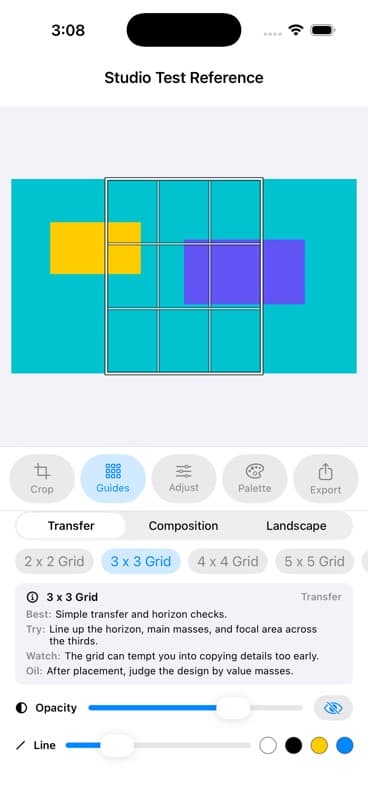
Landscape Composition is a native studio-reference tool for oil painters preparing a photo before they begin working on the canvas.
A source photo rarely arrives at the right canvas ratio, value structure, composition, or level of visual simplification for painting.
I built the full reference workflow: import, crop, guides, value and color adjustments, palette planning, local projects, and shareable export.
Every tool is tied to preparing a painting reference. It deliberately avoids becoming a broad photo editor or pretending extracted colors are paint formulas.
Design boundary
Every control stays tied to preparing a painting reference: crop, structure, values, palette, and export. Extracted colors remain starting points, not paint formulas.